











Accessing your Bikosport account gives you control over your betting activity, deposits, withdrawals, and personal settings. The platform offers both a web-based interface and a mobile application for Android, allowing you to sign in from any device with a stable internet connection. Whether you are placing a bet, checking your balance, or updating your profile, authentication is the gateway to the main account features.
This guide walks you through signing in, creating a new account, using the mobile app, recovering lost credentials, and troubleshooting common problems. By the end, you will know how to maintain secure and uninterrupted access to your Bikosport profile.
How to Sign In to Your Bikosport Account
The web version of Bikosport features a clearly labeled login button in the top-right corner of every page. Selecting it opens a form that asks for your registered phone number or email address and your password. Both fields are mandatory, and the system will not accept incomplete entries.
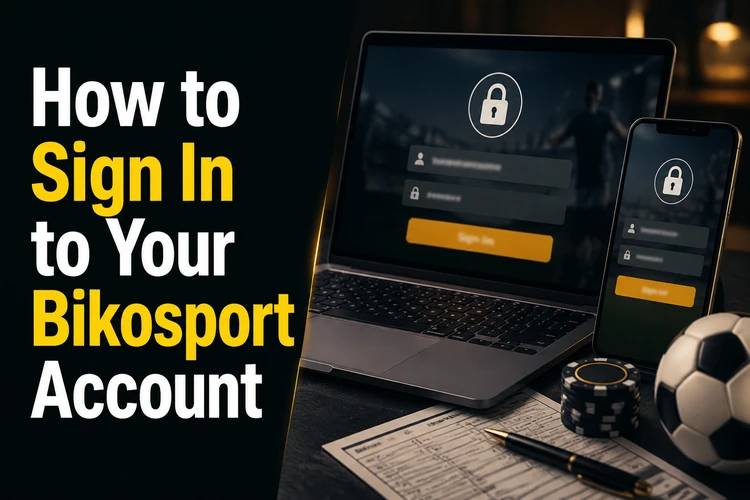
- Open the official website and select the login button.
- Enter the phone number or email address linked to your account.
- Type your password carefully and check that Caps Lock is not active.
- Submit the form and wait for the dashboard to load before refreshing the page.
After successful authentication, you land on your account dashboard. From there you can view your betting history, manage your wallet, adjust notification preferences, and explore available markets. The session remains active until you log out manually or close the browser, though for security reasons it is wise to log out when using a shared or public device.
Registering a New Account
If you do not yet have an account, the registration process takes only a few minutes. Look for the sign-up link next to the login button on the homepage. The form requests your phone number, a strong password, your date of birth, and your preferred currency. Bikosport requires all users to be at least 18+ years old, and you may be asked to verify your age at a later stage.
Choose a password that combines uppercase and lowercase letters, numbers, and at least one special character. Avoid using easily guessed sequences such as your birth year, phone number, or the word password. Once you submit the form, you will receive a confirmation message by SMS or email, depending on the contact method you provided. Use the verification link or enter the code to activate your account, then sign in with your new credentials.
Using the Mobile Application
Bikosport offers a native Android app that mirrors the functionality of the website while adapting the interface for smaller screens. To get started, visit the download page and follow the installation instructions for your device. Because the app is distributed as an APK file rather than through the Play Store, you may need to allow installation from trusted browser downloads in your Android security settings.
Once the app is installed, open it and tap the login button on the welcome screen. Enter the same phone number and password you use on the website. The app can keep your session active locally, so you may not need to sign in again unless you log out, clear app data, or install a new version. If the app asks for permissions, review them before accepting and avoid installing APK files from unofficial sources.
For smoother use, keep the app updated and restart it after installation. An outdated APK can fail during authentication or load account pages slowly. If you switch phones, install the current version first and sign in only after confirming that your internet connection is stable.
Recovering Access to Your Account
Forgotten passwords are the most common barrier to account access. If you cannot remember your credentials, select the password recovery link below the login form. You will be prompted to enter your registered phone number or email address. Bikosport will then send a reset code or a secure link that allows you to create a new password without contacting support.
If you have lost access to both your password and the contact information on file, you will need to reach out to customer service. Prepare identifying details such as your full name, date of birth, and recent transaction history. The support team can verify your identity and restore access, though this process may take longer than an automated reset.
Repeated failed login attempts can trigger a temporary lock to protect your account from unauthorized access. If you see a message indicating that your account is temporarily unavailable, wait fifteen to thirty minutes before trying again. Clearing your browser cache or switching to a different network can also help if the issue persists.
Common Causes of Login Problems
Entering the wrong password is the most frequent mistake. Double-check that Caps Lock is off and that you are typing the exact combination of characters you set during registration. If you recently changed your password, make sure you are using the new one rather than an old version saved in your browser's auto-fill.
An outdated version of the mobile app can also prevent you from signing in. Bikosport releases updates to fix bugs, improve security, and add features. Check the download section periodically to ensure you have the latest APK. Uninstall the old version before installing the new one if the update does not complete normally.
Network connectivity issues can interrupt the authentication process. If your internet connection is unstable, the login request may time out or fail to reach the server. Switch from mobile data to Wi-Fi, or vice versa, to rule out network problems. Scheduled maintenance on the platform can also temporarily disable login functionality, so wait a short time and try again if the site is otherwise loading slowly.
Browser-related errors are less common but still worth checking. Clear your cache and cookies, disable ad blockers or VPN extensions that might interfere with the site, and try a different browser if the problem continues. On mobile, restarting the app or your device can resolve temporary glitches.
Protecting Your Account
Use a unique password for Bikosport that you do not reuse on other websites. If one service suffers a data breach, attackers often try stolen credentials on multiple platforms. A strong, site-specific password limits your exposure.
Never share your login details with anyone, including friends or family members. Even well-meaning individuals can accidentally compromise your account security. If you suspect someone else knows your password, change it immediately through the account settings menu.
Log out after every session when using a public computer or a device that others can access. Leaving your account open invites unauthorized bets, withdrawals, or changes to your profile. Most browsers offer a private or incognito mode that does not save login cookies, which is another layer of protection when betting away from home.
Always access Bikosport through the official website or the official app. Phishing sites and fake apps can steal your credentials if you enter them on a fraudulent page. Download the APK only from the verified site area, and use the contact page if you are unsure about an account message or security warning. Changing your password every few months adds an extra margin of safety, especially if you notice unusual account activity.
FAQ
Use the password recovery link below the login form and enter your registered phone number or email address. You should receive a reset code or secure link to create a new password. If you no longer have access to that contact method, contact support with your account details.
Yes. Your Bikosport credentials work on the web version and the Android app. Sign in with the same phone number or email address and password, and your balance, betting history, and settings should remain linked to the same account.
Use the download page on biko-sport-tz.com to get the current Android APK. Review your device security settings before installing it, and avoid APK files shared through unofficial websites or messaging apps.
Several failed login attempts can trigger a temporary lock to protect the account. Wait fifteen to thirty minutes, then try again with the correct password. If the message continues, clear your browser cache or contact support for an account check.
Bikosport may ask you to confirm your phone number or email address after sign-up. Additional identity checks can also be requested before withdrawals or account changes, so check your profile notifications for pending steps.
Contact customer support and provide as much account information as possible, such as your full name, date of birth, and recent transaction details. Support will use those details to verify ownership before helping you regain access.